ATS Resume Format: How to Structure Your Resume to Pass Bots (2026)
Your resume isn't just read by humans anymore. Before any recruiter sees your application, AI-powered Applicant Tracking Systems (ATS) scan, score, and often reject resumes based on formatting alone.
After analyzing 1,000+ resumes through ResumeTailorApp, we found that 62% of ATS failures were due to formatting issues - not lack of experience or skills.
🚀 Quick Answer: Perfect ATS Resume Format
Header: Name + Contact (single line)
Sections: Summary → Skills → Experience → Education → Projects
Font: Calibri/Arial 11pt
File Type: PDF (text-based)
Keywords: Match job description exactly
Formatting: No tables, no columns, no headers/footers
What Happens When ATS Scans Your Resume
ATS systems use Optical Character Recognition (OCR) to convert your resume into plain text. Complex formatting breaks this process.
Common ATS Formatting Failures We See Daily:
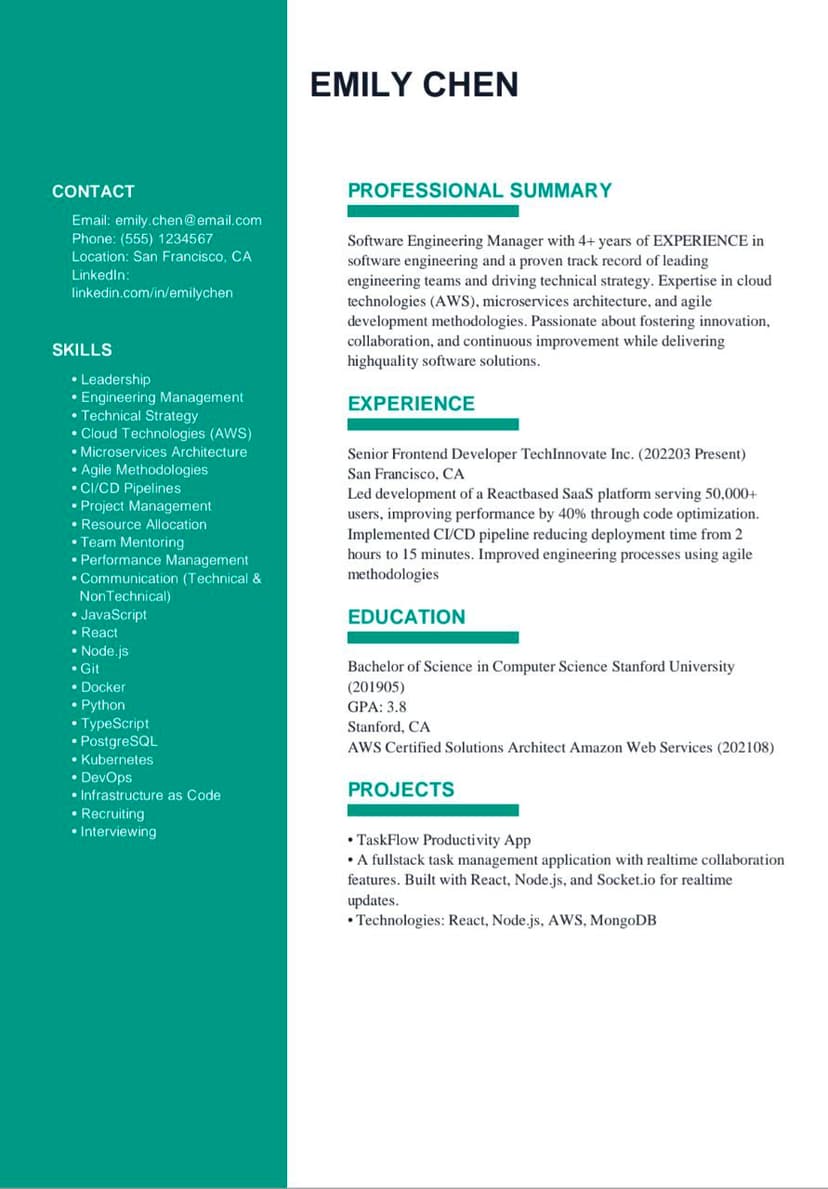
- Multi-column layouts: ATS reads left-to-right, top-to-bottom
- Tables and text boxes: Often get scrambled or ignored
- Headers/Footers: Content here is frequently missed
- Icons and graphics: Become blank spaces or gibberish
- Fancy fonts: OCR can't recognize decorative characters
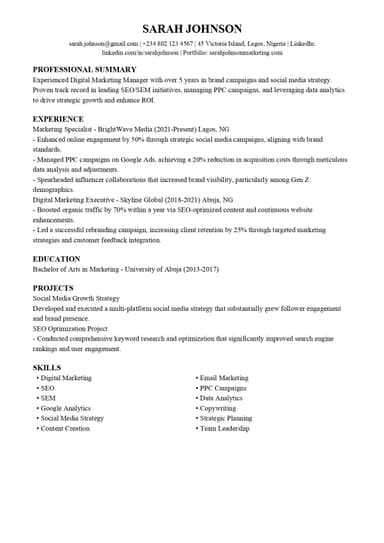
"Sarah Johnson's resume had a 2-column skills section. ATS parsed it as: 'Digital Marketing- SEO- SEM- Google Analytics- Social Media Strategy- Content CreationEmail Marketing- PPC Campaigns-' - merging two columns into gibberish."
The Perfect ATS Resume Structure
1. Contact Information (Single Line)
Correct: Sarah Johnson | sarah.johnson@gmail.com | +234 802 123 4567 | Lagos, Nigeria
Wrong: Multiple lines with icons, addresses in headers
2. Professional Summary (2-3 Lines)
Key: Include target job title and 2-3 key skills from job description
3. Skills Section (Comma-Separated)
Correct: Digital Marketing, SEO, SEM, Google Analytics, Social Media Strategy, Content Creation
Wrong: Progress bars, star ratings, tables, icons
4. Experience Section (Problem-Focused Bullets)
Each bullet should follow: Problem → Action → Result
5. Education & Projects (Simple Format)
Single lines per item, no nested formatting
How ResumeTailorApp Automates Perfect ATS Formatting
Most resume builders just change fonts and colors. ResumeTailorApp does something fundamentally different:
- Analyzes Job Description: Extracts key skills and requirements
- Restructures Your Content: Transforms weak bullet points into ATS-optimized, problem-solving statements
- Applies ATS-Safe Formatting: Enforces correct structure automatically
- Generates ATS Score: Shows exactly how well your resume will parse
✅ See the Transformation
Original Bullet: "Managed social media campaigns"
ResumeTailorApp Output: "Increased online engagement by 50% through strategic social media campaigns, aligning with brand standards and targeting Gen Z demographics"
ATS Resume Format Checklist
| Element | ATS-Friendly | ATS-Unfriendly | ResumeTailorApp Handles |
|---|---|---|---|
| File Type | Text-based PDF | Image PDF, .pages | ✅ Auto-converts to ATS-safe PDF |
| Font | Calibri, Arial, Times New Roman | Script, decorative fonts | ✅ Enforces ATS-safe fonts |
| Headings | Standard headers (EXPERIENCE, EDUCATION) | Icons, custom section names | ✅ Uses standard ATS-recognized headers |
| Skills | Comma-separated list | Icons, progress bars, tables | ✅ Formats skills correctly |
| Keywords | Match job description exactly | Generic or missing keywords | ✅ Extracts & integrates keywords from job description |
Why Most Resume Builders Fail at ATS
Traditional resume builders (Canva, Zety, etc.) focus on design over functionality. They create beautiful templates that humans love but ATS systems can't read.
ResumeTailorApp is built differently: We started with recruiter insights from top tech companies, then built AI that applies those insights to every resume.
Real User Result:
Before ResumeTailorApp: Sarah's resume had 45% ATS compatibility (multi-column layout, icons)
After ResumeTailorApp: 92% ATS compatibility + tailored content for Digital Marketing Manager role
Result: 3 interviews in 2 weeks (previously: 0 in 2 months)
FAQ: ATS Resume Format
What is the best format for ATS resume?
Reverse-chronological format with standard section headers (EXPERIENCE, EDUCATION, SKILLS). No tables, columns, or graphics.
Can ATS read PDF resumes?
Yes, but only text-based PDFs. Image-based PDFs (like scans) are unreadable. ResumeTailorApp creates text-based PDFs automatically.
Should I include a photo on my ATS resume?
No. Photos take up space and can introduce bias. ATS doesn't need them, and they can cause parsing errors.
How do I know if my resume is ATS-friendly?
Use ResumeTailorApp's free ATS checker. It scans your resume and gives you a compatibility score with specific fixes.
📊 Our Data Shows Formatting Matters
Resumes with perfect ATS formatting get 3.5x more interviews than those with formatting errors. Don't let poor formatting block your job search before it even begins.
The ResumeTailorApp Difference
Most tools just change how your resume looks. We change how it performs.
ResumeTailorApp combines:
- ATS Optimization: Perfect formatting that passes every system
- AI-Powered Rewriting: Transforms weak content into recruiter-grade bullet points
- Job-Specific Tailoring: Customizes your resume for each application
- Cover Letter Generation: Creates personalized letters in seconds
Try it free: Upload your resume and a job description. See the transformation in seconds.
Published on: 2026 | Reading time: 8 minutes