How to List Projects and Freelance Work on Your Resume in 2026
In 2026, the "Gig Economy" is the norm. Recruiters no longer just look at your 9-to-5 job history. They want to see your initiative.
Whether you are a software developer with GitHub projects, a designer with a Behance portfolio, or a student with class assignments, these "side hustles" can be the deciding factor in getting hired.
But listing them effectively is tricky. Do they go under "Experience"? Do they need their own section? This guide explains exactly how to format projects and freelance work using ResumeTailorApp.
Why Projects Matter More Than You Think
Projects prove that you have passion and hands-on skills. They are especially critical for:
- Students: To replace lack of work history.
- Career Changers: To prove you have skills in your new industry.
- Freelancers: To explain employment gaps.
Method 1: The "Freelance" Entry (For Paid Work)
If you were paid for your work, treat it exactly like a full-time job. List it in your "Professional Experience" section.
How to Format It:
- Job Title: Freelance Web Developer / Contract Graphic Designer
- Company: Self-Employed (or "Various Clients")
- Dates: Jan 2023 – Present
- Description: Focus on the scope and results.
✅ AI-Enhanced Example:
"Freelance Marketing Consultant (Self-Employed): Managed digital strategy for 5+ small business clients. Executed SEO campaigns that increased collective organic traffic by 40% and generated $10k in new monthly revenue."
Method 2: The "Projects" Section (For Unpaid/Personal Work)
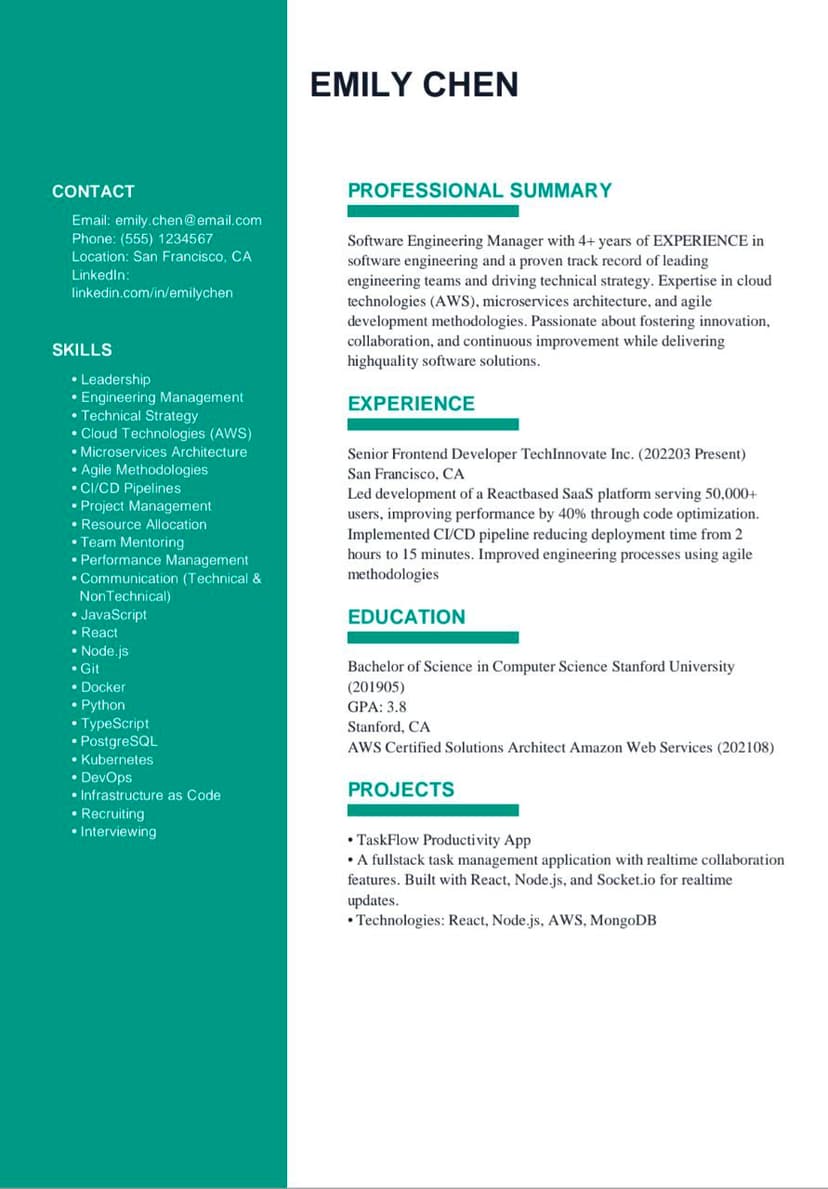
If you built an app, wrote a blog, or designed a portfolio piece for fun (or school), put this in a dedicated "Key Projects" section.
This is standard for tech roles. Recruiters want to know the Tools Used (Tech Stack) and see a Live Link.
How to Format It:
- Project Name: e.g., "Budget Tracker App"
- Role: Lead Developer / UI Designer
- Tech Stack: (Crucial!) React, Node.js, MongoDB
- Link: github.com/username/project
✅ AI-Enhanced Example:
"Personal Finance Dashboard: Architected a full-stack MERN application allowing users to visualize monthly spending. Implemented secure JWT authentication and integrated Plaid API for real-time banking data."
How ResumeTailorApp Formats This Automatically
Formatting projects manually in Word is a nightmare. You have to fight with spacing to get the Tech Stack to look right.
ResumeTailorApp has a dedicated "Projects" step in the builder.
- Enter Details: Simply type the Project Name and URL.
- Add Technologies: We create a clean, comma-separated list of tools (e.g., Python, AWS, Docker).
- Enhance Description: Our AI rewrites "I built a website" into "Developed a responsive web application serving 1,000+ monthly users."
When to Include Projects vs. When to Skip Them
| Scenario | Verdict | Where to Put It |
|---|---|---|
| Student / New Grad | MUST Include | Top of Resume (below Education) |
| Tech / Design Role | MUST Include | Dedicated "Projects" Section |
| 10+ Years Experience | Optional | Only if highly relevant to new job |
| Unrelated Hobby | Skip | N/A (Unless it shows leadership) |
🚀 Add Professional Projects to Your Resume
Don't struggle with formatting. Use our builder to add a clean, recruiter-friendly "Projects" section that highlights your skills and portfolio links.
Final Thoughts
Your resume is a marketing document, not a legal history. If a side project shows your skills better than your day job, highlight it! Use ResumeTailorApp to ensure it looks professional and passes the ATS scan.
Published on: 2026 | Reading time: 6 minutes